

Hype Stack 1.9: bookings, AI chat, and a free tier you can ship on
Five weeks after launch. Two new products in the catalog, a free starter with real sign-in, licenses that never expire, and a way for your coding agent to install all of it.
Hype Stack launched on August 31. Since then the template went from 1.6 to 1.9, and the catalog around it changed more than the version number suggests. This post covers both: what's new in the free template, and what's new in the packs and templates you install on top of it.
If you only read one section, read the first two. They change what Hype Stack costs you.
You can ship on the free tier now
At launch the free part was the foundation: an app that builds and boots, with no sign-in. Anything with users in it started at a paid starter.
That's no longer true. There's a free auth starter now, with email and Google login, sessions, password reset, a profile page, and a small admin console. The basic layout is free. So are the teams and projects packs, and cookie consent always was.
Put together, that's a working product with accounts, a dashboard shell, teams, and projects, for nothing. You pay when you need organizations with roles, billing, or one of the bigger features. And every paid pack installs on top of the free starter, so starting free doesn't mean starting over later.
Buy once, keep it
Packs and templates you buy are now lifetime licenses. One payment, and the code is yours with no expiry date and no renewal email a year later.
The All-Access plan stays yearly.
Bookings
The biggest new pack. It's appointment booking for businesses that live on a schedule: gyms, physios, clinics, salons.
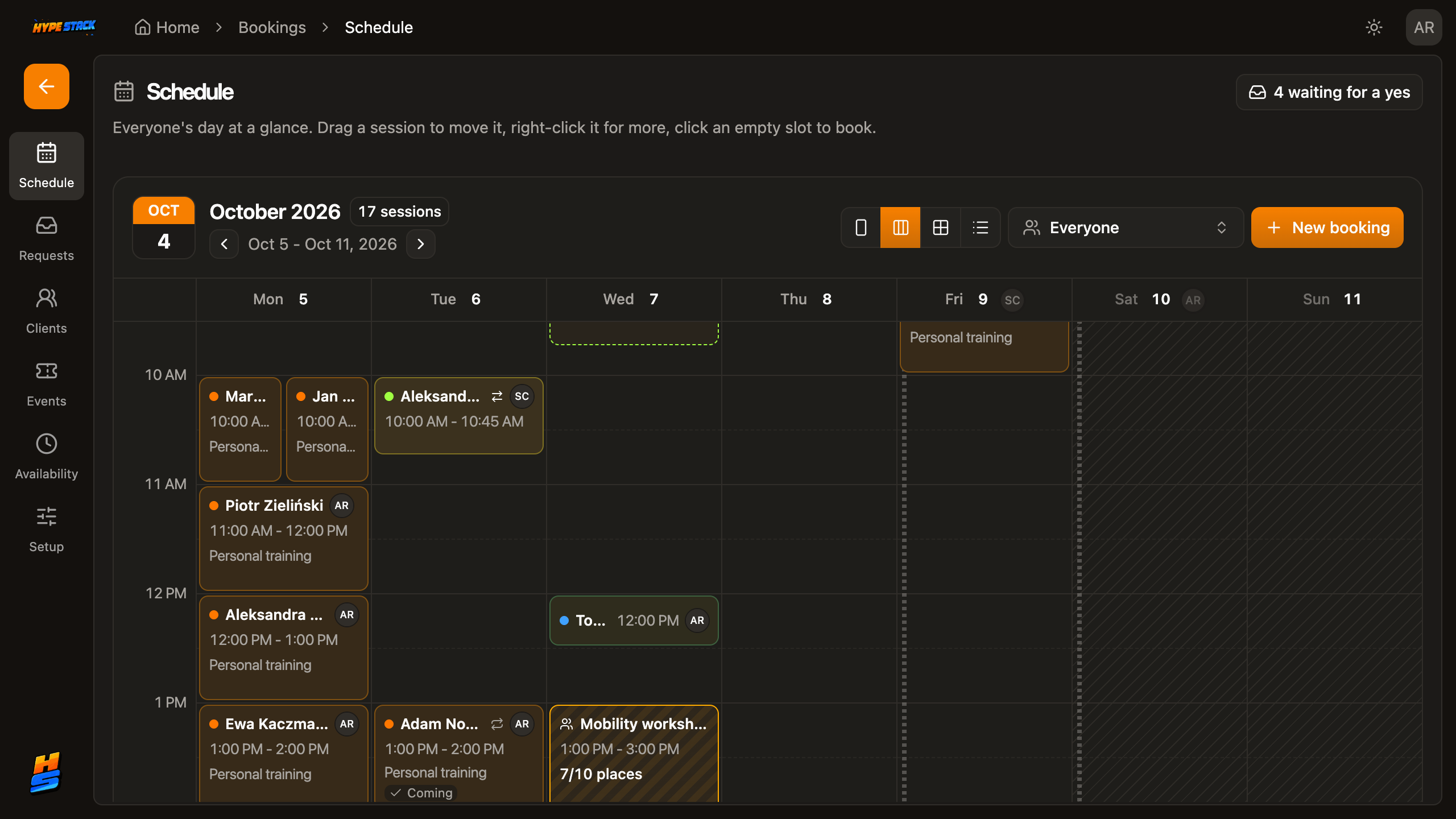 The team's week.
Staff run this on the web, clients book from the mobile app.
The team's week.
Staff run this on the web, clients book from the mobile app.
The team runs the schedule on the web. Clients book from the mobile app. In between sit the parts that take the longest to get right: approval rules for who can book what, recurring sessions, reminders, a client list with notes, and an undo for the moment somebody cancels the wrong Tuesday.
If your product is "software for a business that takes appointments", this is most of the first three months.
AI chat you can charge for
The AI chat pack is a chat product, with the business side included. Streaming conversations, voice, image generation, and a document library so answers can cite your customer's own files.
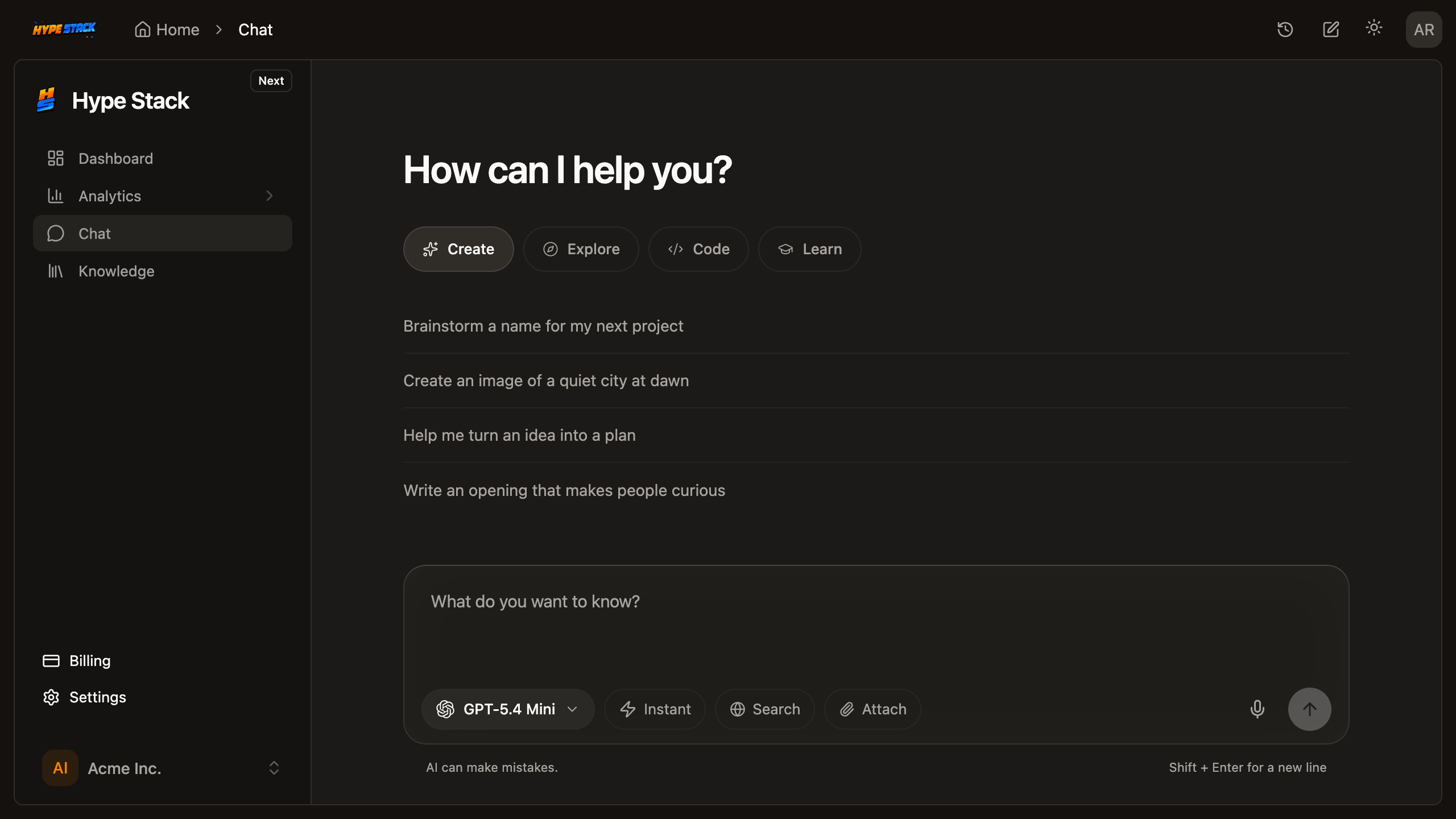 Answers cite the
documents they came from. Usage is counted per customer.
Answers cite the
documents they came from. Usage is counted per customer.
The part I care about most isn't the chat window. Usage is metered per organization against the plan they pay for, so one heavy customer can't run up a model bill past what they bought. There's an admin dashboard that shows who uses how much. It works on mobile as well.
Aether, the AI template, now runs on this pack. Before, it was a design with scripted answers. Now it's the real thing with one API key.
A layout for dense apps
The fifth layout is built for CRM-style products: a compact sidebar, full-width tables, tabs for the second level of navigation. If your users keep the app open all day and scan a lot of rows, this one fits better than the roomier layouts.
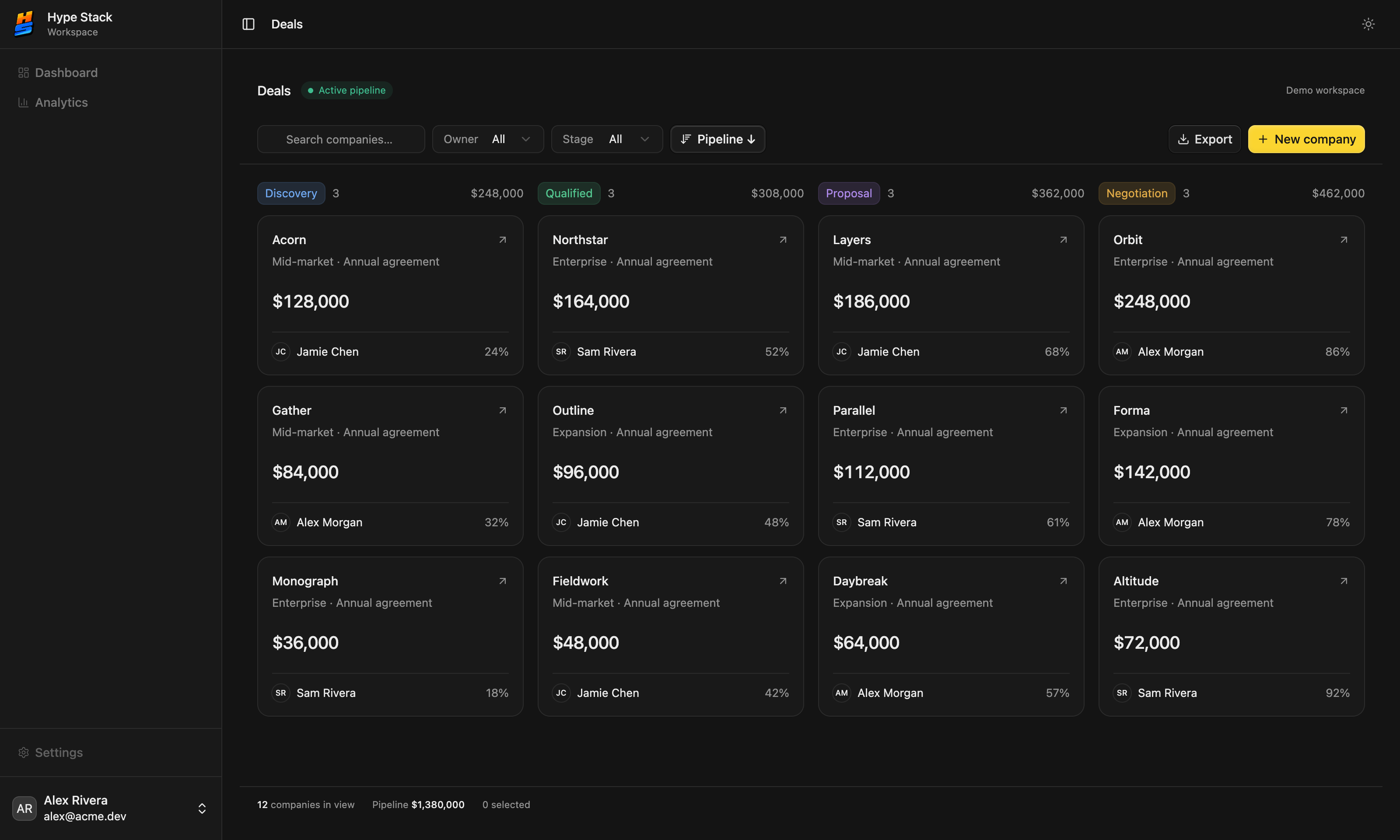 Compact by design. More
rows on screen, less chrome around them.
Compact by design. More
rows on screen, less chrome around them.
Templates also got more flexible. Each one used to come with fixed choices. Now you can swap the parts when you install it, for example picking WorkOS over Better Auth, or Polar over Stripe, and the rest of the template adapts.
Your coding agent can install it
Most people building on Hype Stack use Cursor, Claude Code, or Codex. So the installer now talks to them directly.
There's a button on the site that connects your editor in one click. After that you can ask the agent to create a project, add billing, or set up the database, and it runs the same installer you would. It doesn't write its own version of sign-in from memory, which is where agent-built apps usually go wrong. Cursor, Claude Code, Claude Desktop, Codex, VS Code with Copilot, and T3 Code are supported.
New projects also come with a set of agent skills and the project's rules already in place, so the agent knows how this codebase is organized before its first edit.
Build your own packs
The catalog is what I've built. It was never going to cover every feature every product needs.
Community packs open it up. You can write a pack, for your own use or for your team, and install it with the same command as mine. Agencies can keep their repeat features as packs and drop them into each client project. There are docs for the format, and for running a private registry if you'd rather not share.
In the free template
These landed in the open-source template itself, so every project gets them.
- Background work without another service. Slow jobs, like indexing an uploaded file or sending a batch of emails, now run on a queue that lives in the database you already have. Nothing extra to host or pay for.
- Feature flags in the SaaS starters. Turn a feature on for one customer before you turn it on for everyone.
- Live updates that respect sign-out. Real-time connections now follow the session, so a signed-out tab stops receiving data.
- More interface building blocks, so new screens need fewer one-off components.
- An MIT license file in the repository. The template was always free to use. Now it says so where lawyers look.
Smaller changes
- Search across packs, templates, and docs from the top bar.
- Better filters in the pack catalog.
- Live previews have a new loading screen and show the price next to the preview.
- The newsletter pack's admin is split into releases and subscribers, with reusable templates.
- Installing any pack now needs a free account, free packs included. Creating a project still doesn't.
Try it
If you looked at launch and the price of getting started put you off, look again: the free starter is a real app now. Browse the packs, open a preview, and start a project when something fits.
And if something breaks, tell me. It's still one person reading them.