

How the hype-stack CLI turns a starter, a layout, and feature packs into a running app in one command. A walk through what compose actually does.
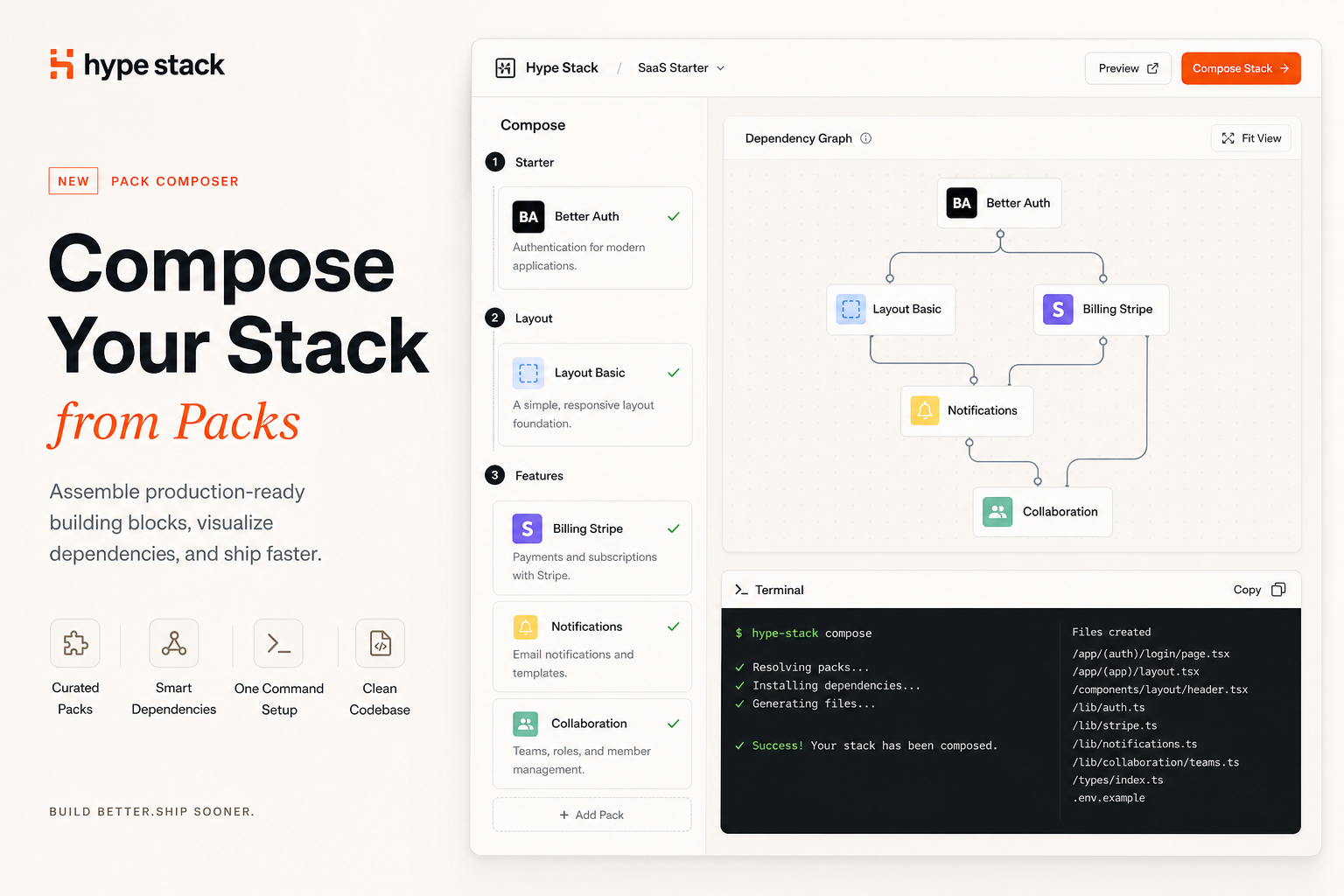
The compose command is where Hype Stack earns its keep. You run it in a project scaffolded from the template, pick a
few packs, and it turns a blank-but-working app into one with auth, billing, notifications, and a layout. This is a walk
through what actually happens between the picker and the running app.
Start with a real app
compose does not run against an empty folder. You start with npx @hype-stack/cli create my-app, which clones the
template, installs dependencies, and hands you an app that builds and typechecks. It has a React 19 frontend, a Hono
backend, Prisma and Kysely over Postgres, Redis, and a layout shell. What it does not have yet is an opinion about which
auth provider you use or whether you charge money.
That split is intentional. The template gives you the tooling and structure. Compose fills in the features.
The picker walks categories in order
When you run npx @hype-stack/cli compose, the CLI reads stack.json for your project's paths and opens a picker that
walks three categories in a fixed order: starter, layout, features.
- Starter is single choice. It provides auth, sessions, and organizations. Everything else bills a user or belongs to an org, so a starter is required. The default is Better Auth; WorkOS is the other option.
- Layout is single choice too. It decides how the app is shelled. The default is
layout-basic;layout-glassandlayout-native-app-shellare the alternatives. When your project has anapps/admin, the picker gives the admin app its own layout pick. - Features is multiselect. Billing, notifications, collaboration, and the module packs. Pick what you need, skip what you do not.
The order matters. The starter is the foundation, the layout is the shell, and features are add-ons that depend on both.
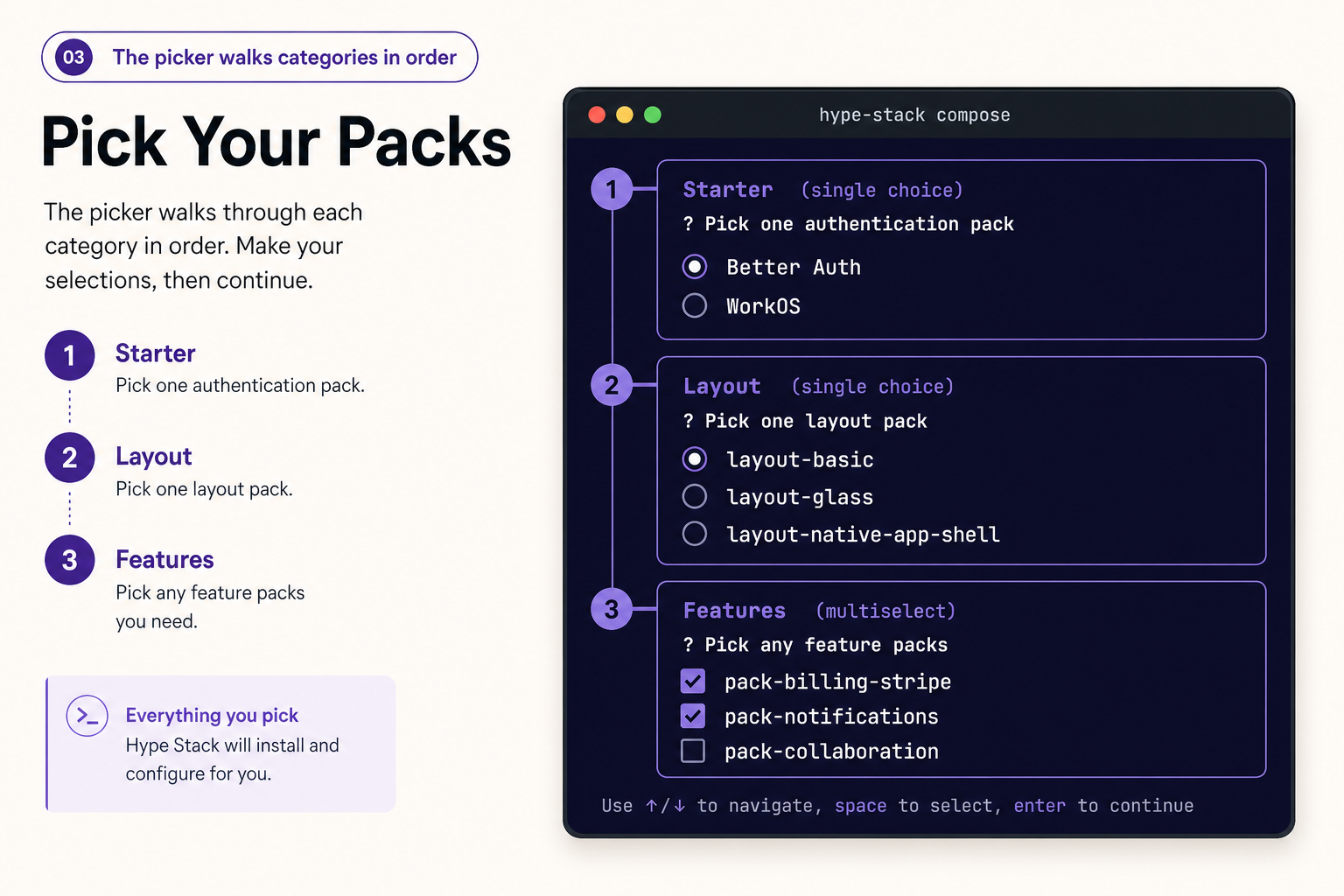 The picker walks one category at a time: pick a starter, pick a layout, then check off the features you want.
Dependencies resolve before anything copies
Packs declare what they need. The billing pack requires a starter, because it needs a user and an organization to bill. The notifications pack requires a starter for the same reason. The CLI builds the dependency graph from your selections and resolves it before it copies a single file.
That means you cannot install a pack that silently depends on code you do not have. If you try, the CLI tells you what is missing and which pack provides it, instead of writing half an integration into your repo.
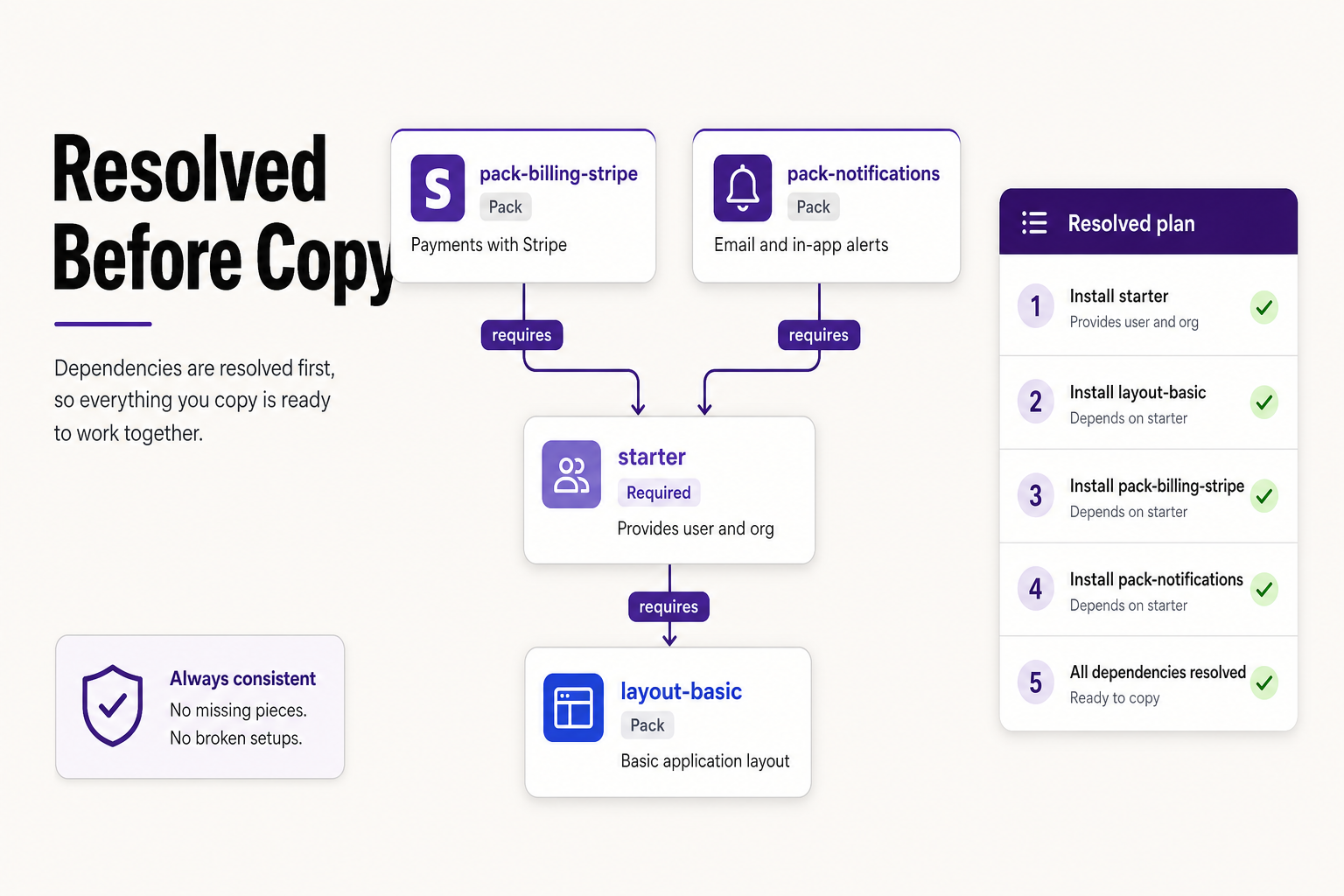 Billing and notifications both need a starter. The CLI resolves the whole graph into an ordered plan before it copies a
single file.
Billing and notifications both need a starter. The CLI resolves the whole graph into an ordered plan before it copies a
single file.
Then it copies, codemods, and merges
Once the plan is resolved, compose gets to work:
- Downloads the packs you have access to and validates your license for the paid ones.
- Copies the pack source into your repo at the paths
stack.jsonknows about. The code lands in yourapps/frontendandapps/backendtrees, not in a package you import. - Runs codemods that rewrite project identity, wire nav entries, patch permissions, and adjust the copied code to your project's names.
- Merges the Prisma schema so each pack's models land in your single schema without clobbering what is there.
- Updates
stack.jsonwith an append-only install log of what it added, what it skipped, and why.
When it finishes, the features are in your code. You read them, you change them, you delete the parts you do not want.
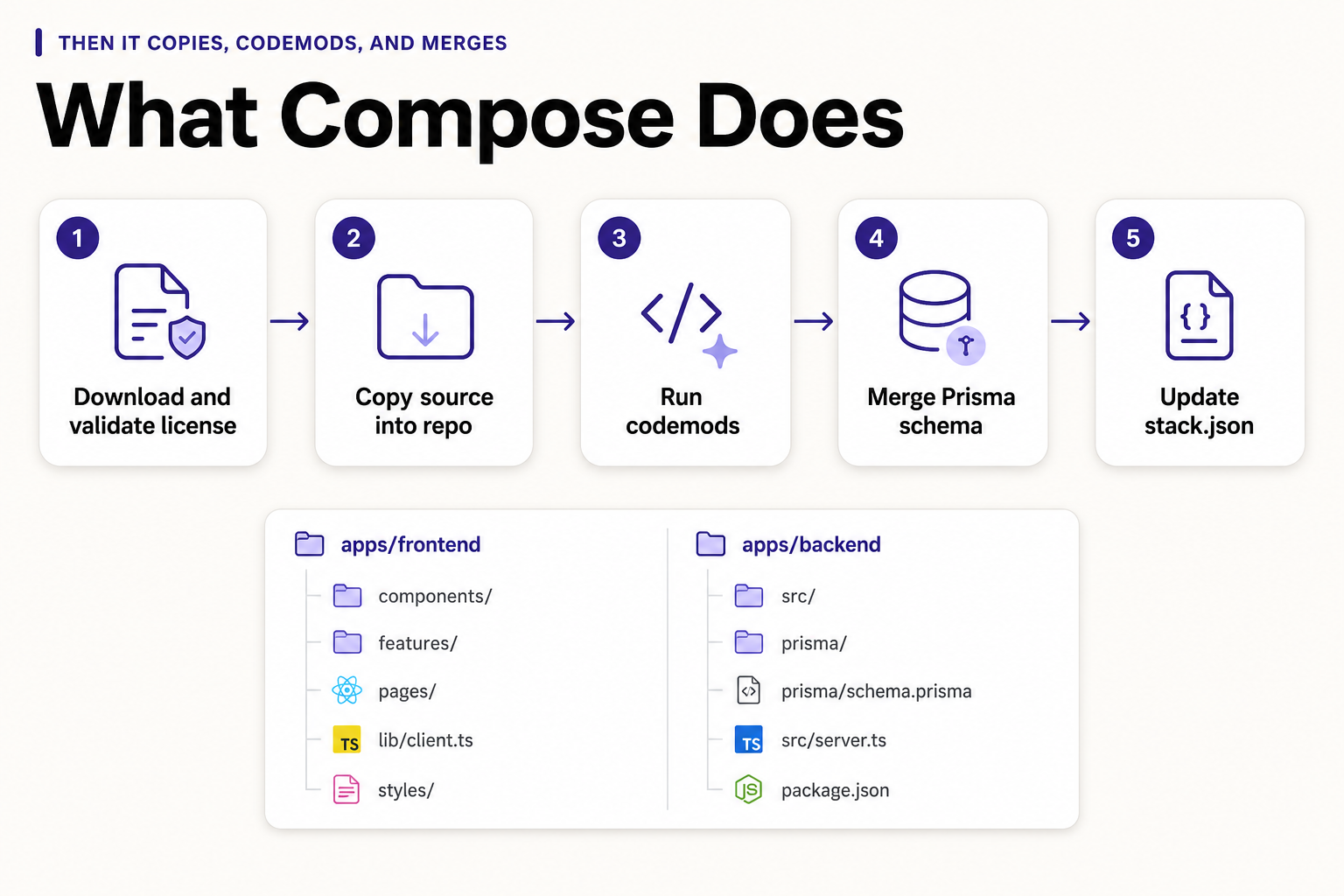 The five steps compose runs, and where the copied source lands in your
 apps/frontend and apps/backend trees.
Switching variants without the mess
Switching a starter, say from WorkOS to Better Auth, is where naive installers hurt people. Hype Stack leaves the old code in place but skips its env prompts, so you are not asked for WorkOS keys you no longer need. The install log stays append-only and honest about what it skipped and why.
You get a clean diff to review instead of a half-removed integration that breaks on the next boot.
The realistic timeline
Run create, then compose with a starter, a layout, and billing. Set your env, run Prisma, boot the dev servers. You
have an app with auth, a real layout, and a checkout route, and the clock has not moved past an hour.
The rest of the day goes to the parts only you can write: your pricing page, your copy, the failed-payment email. The infrastructure is done, and it is done in a way you can read and change. The compose docs cover every flag and prompt, and the packs page lists every pack you can install.